Your Tesla, in one quiet app.
Niko locks it, warms the cabin, watches the charge, remembers every journey and tells you what the electricity cost — and keeps doing it while your phone is in your pocket.
Languages in the app — this site reads in eleven of them
Kinds of command the app sends — each one a call Tesla's Fleet API accepts
Automations one car can run while the app is shut
Tesla passwords Niko ever sees — the link is an OAuth token
The app
Every screen, as it actually looks.
Swipe through. These are photographs of the app on an iPhone, not drawings of it.
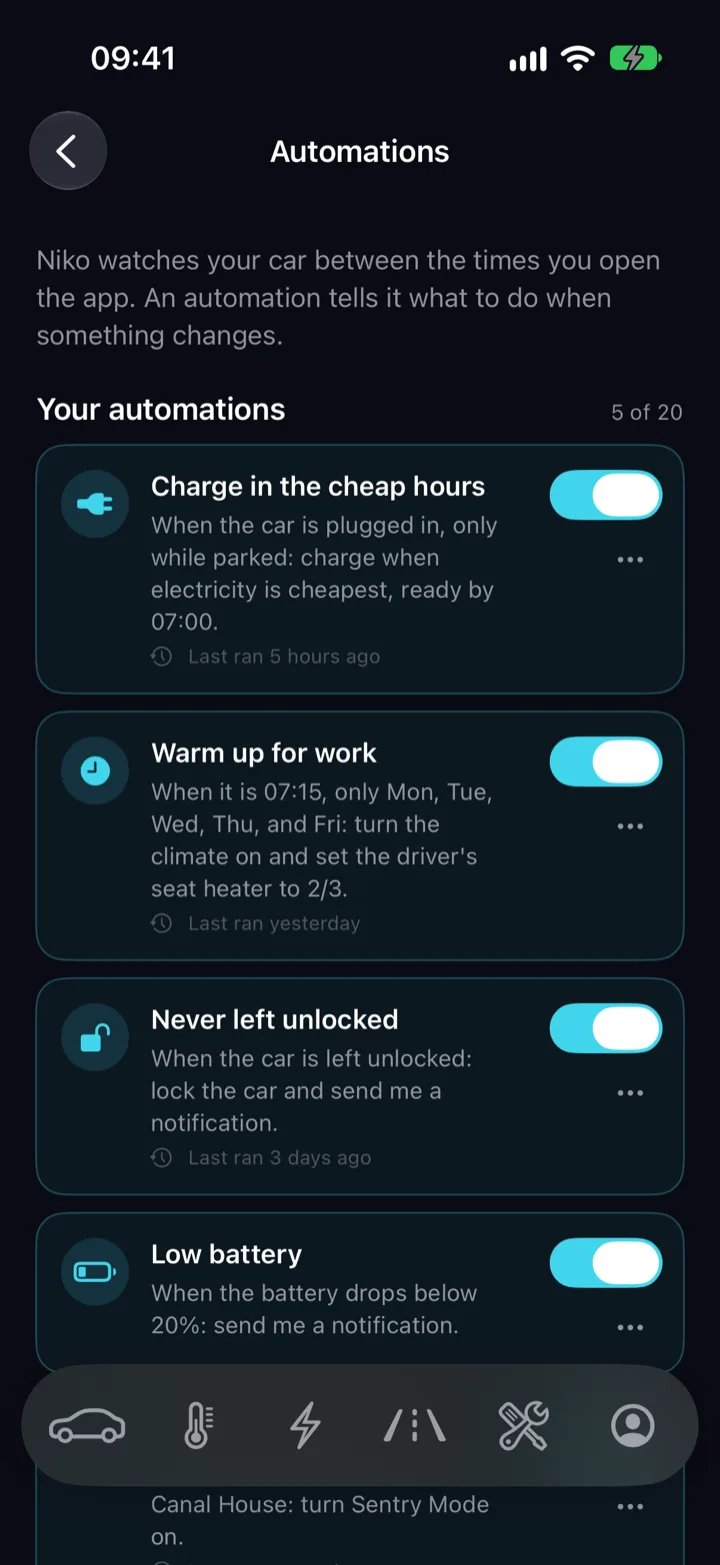
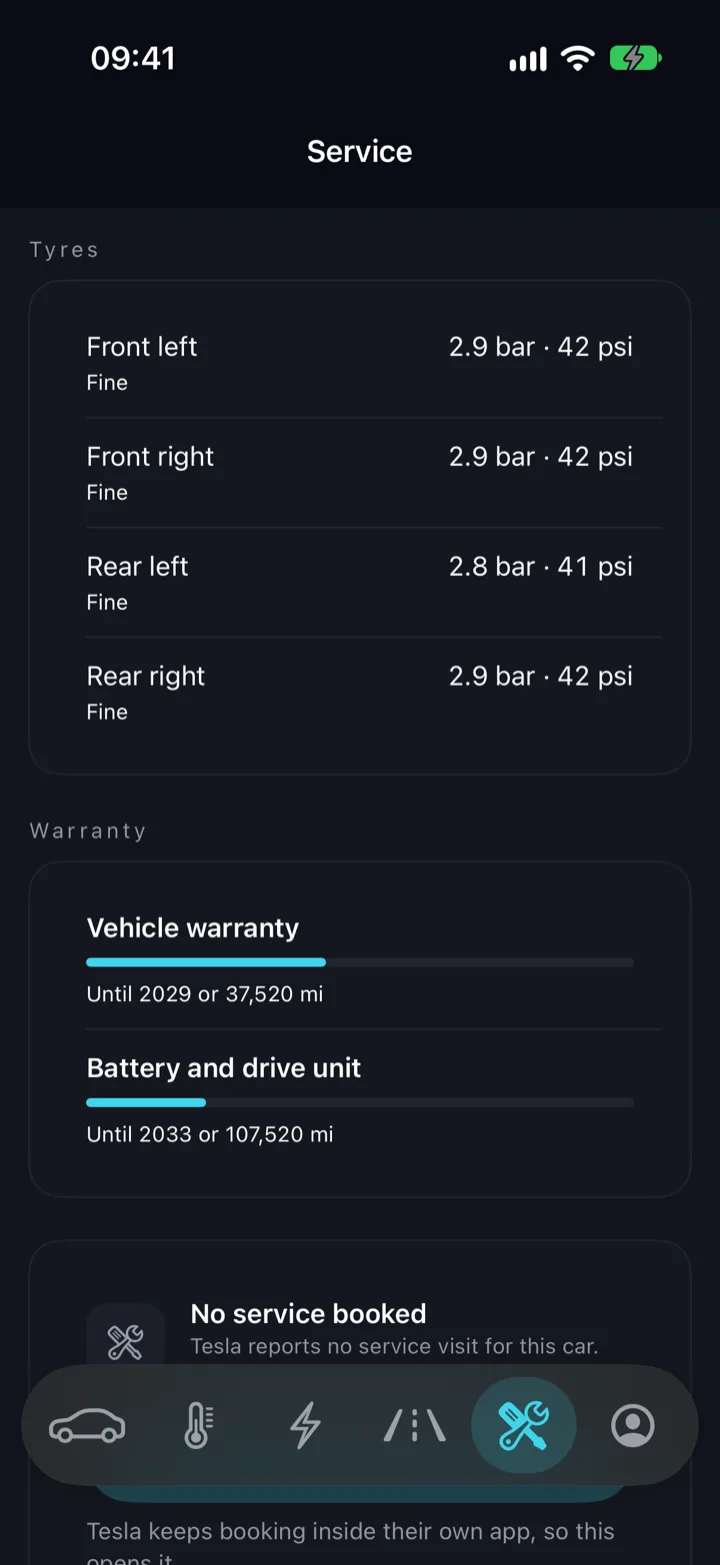
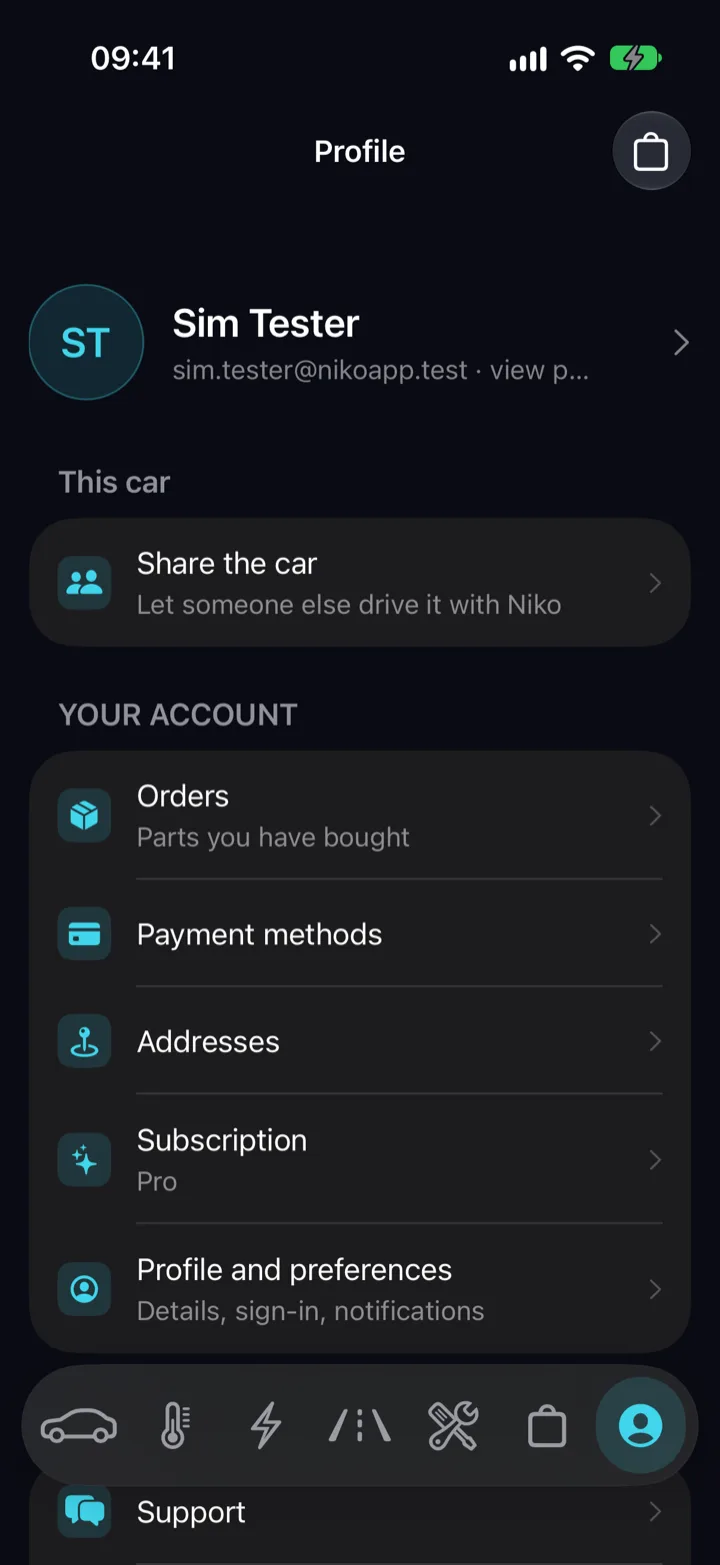
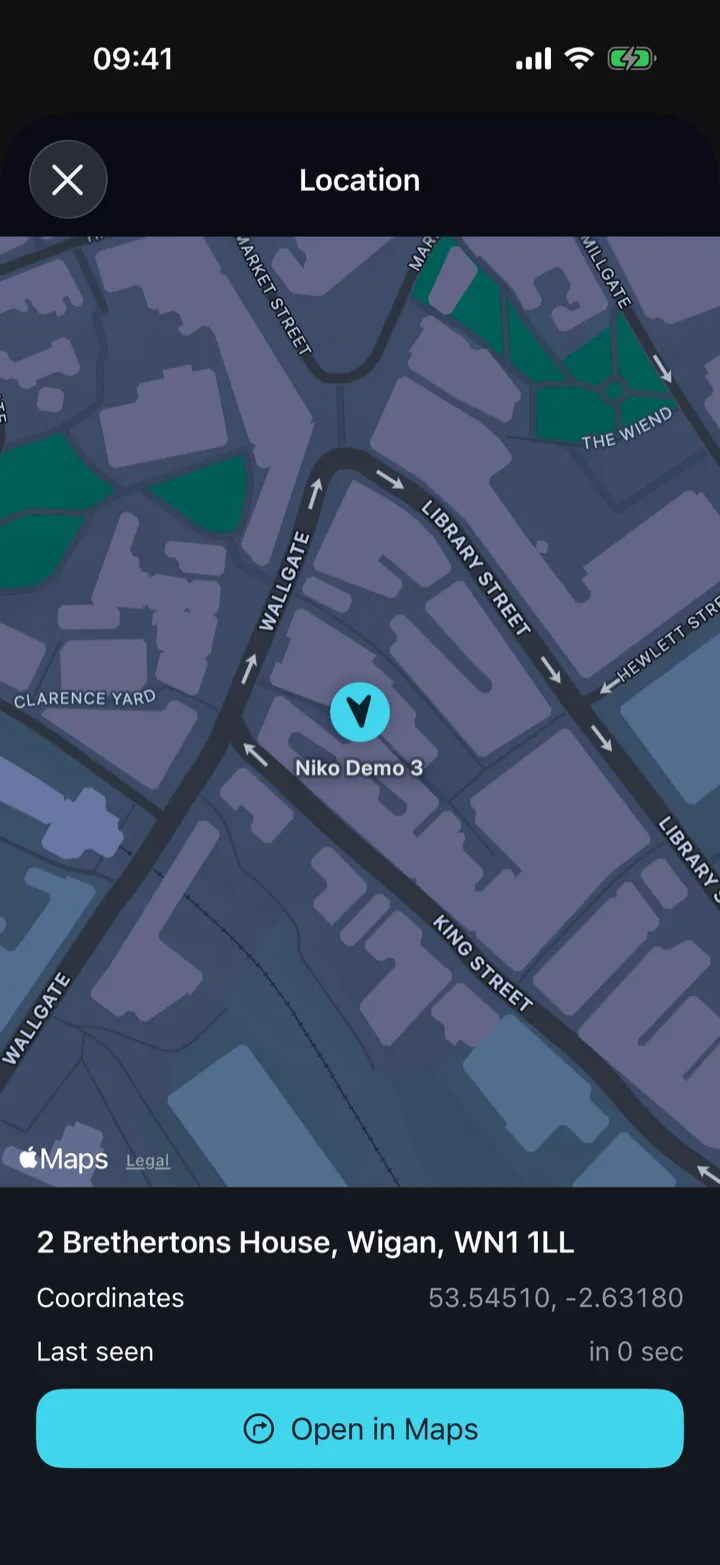
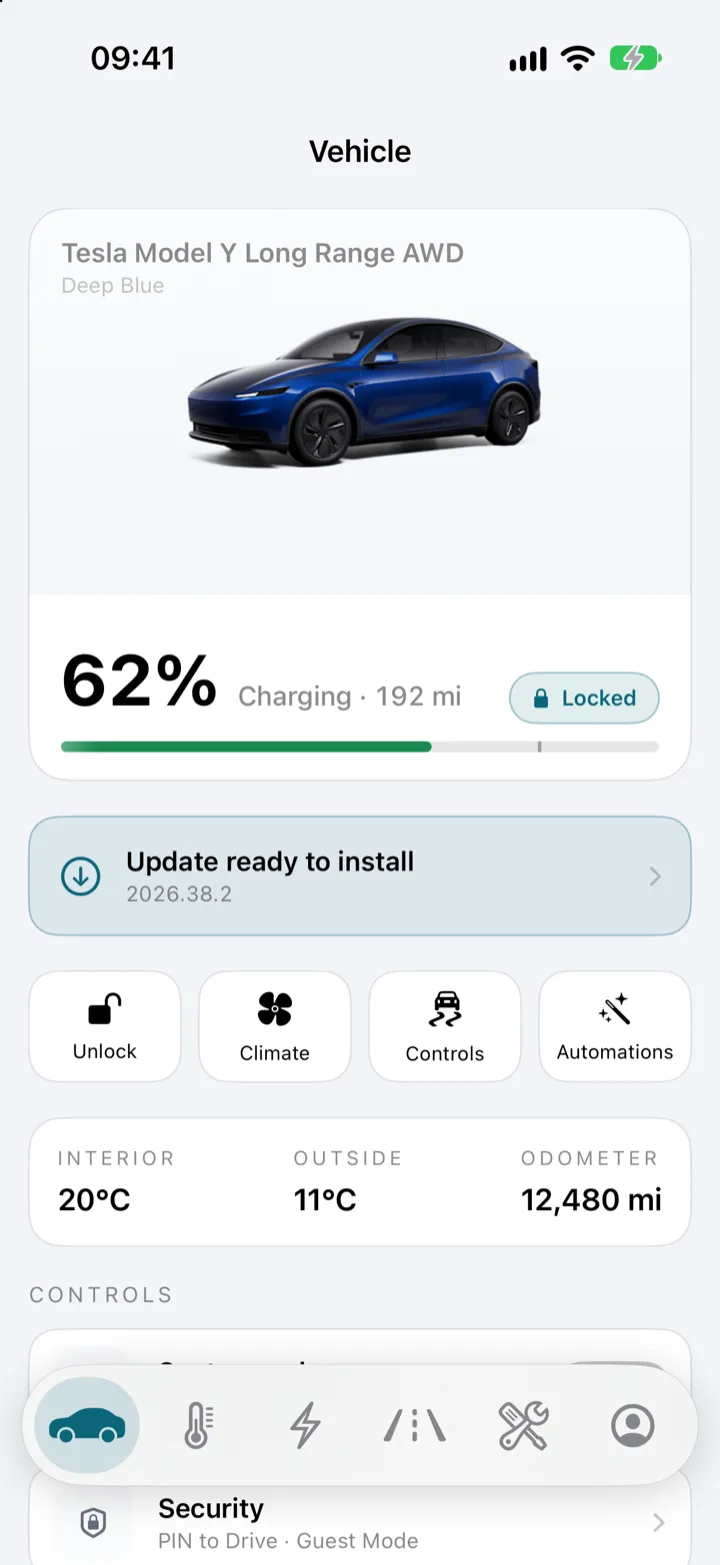
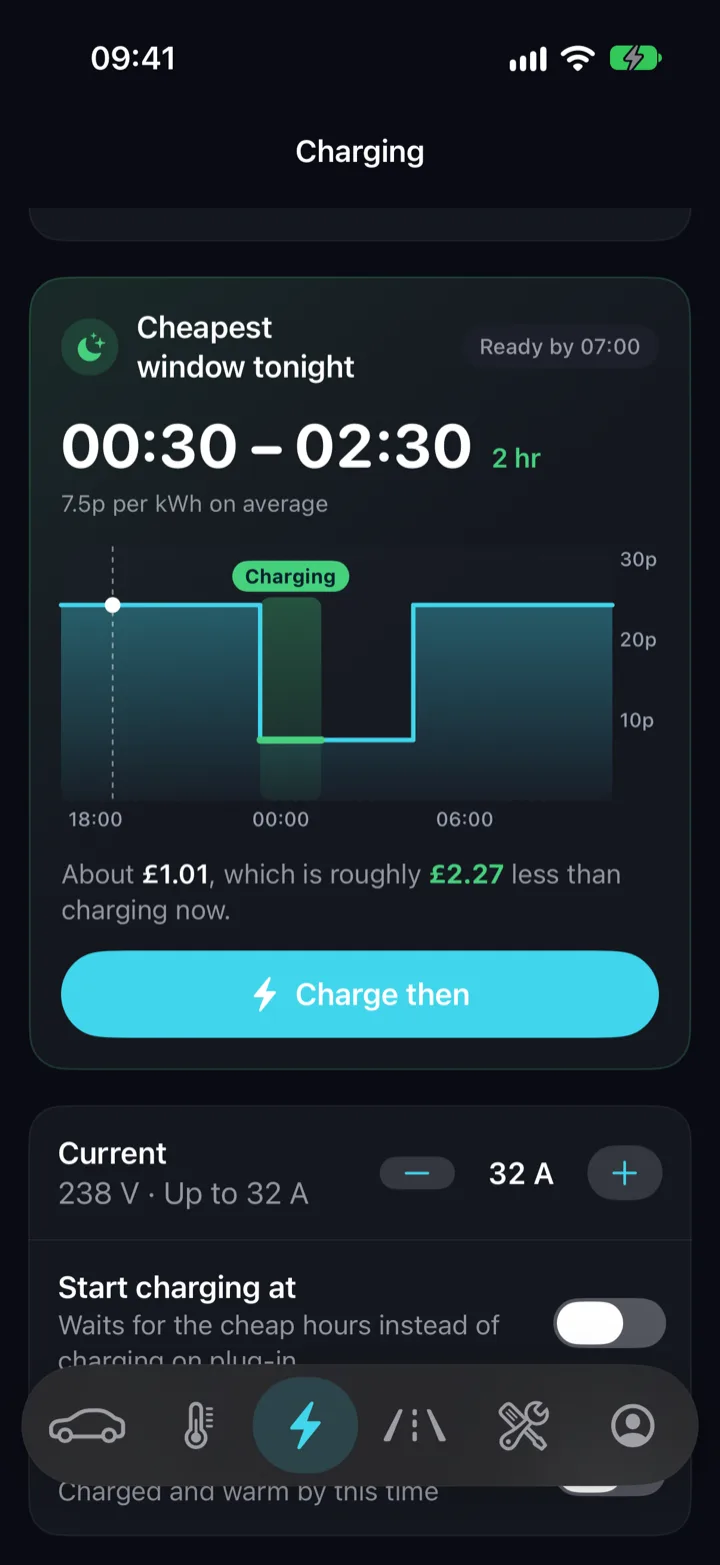
Scroll sideways, or use the arrow keys.
Control
Four buttons, three readings, and the rest one tap down.
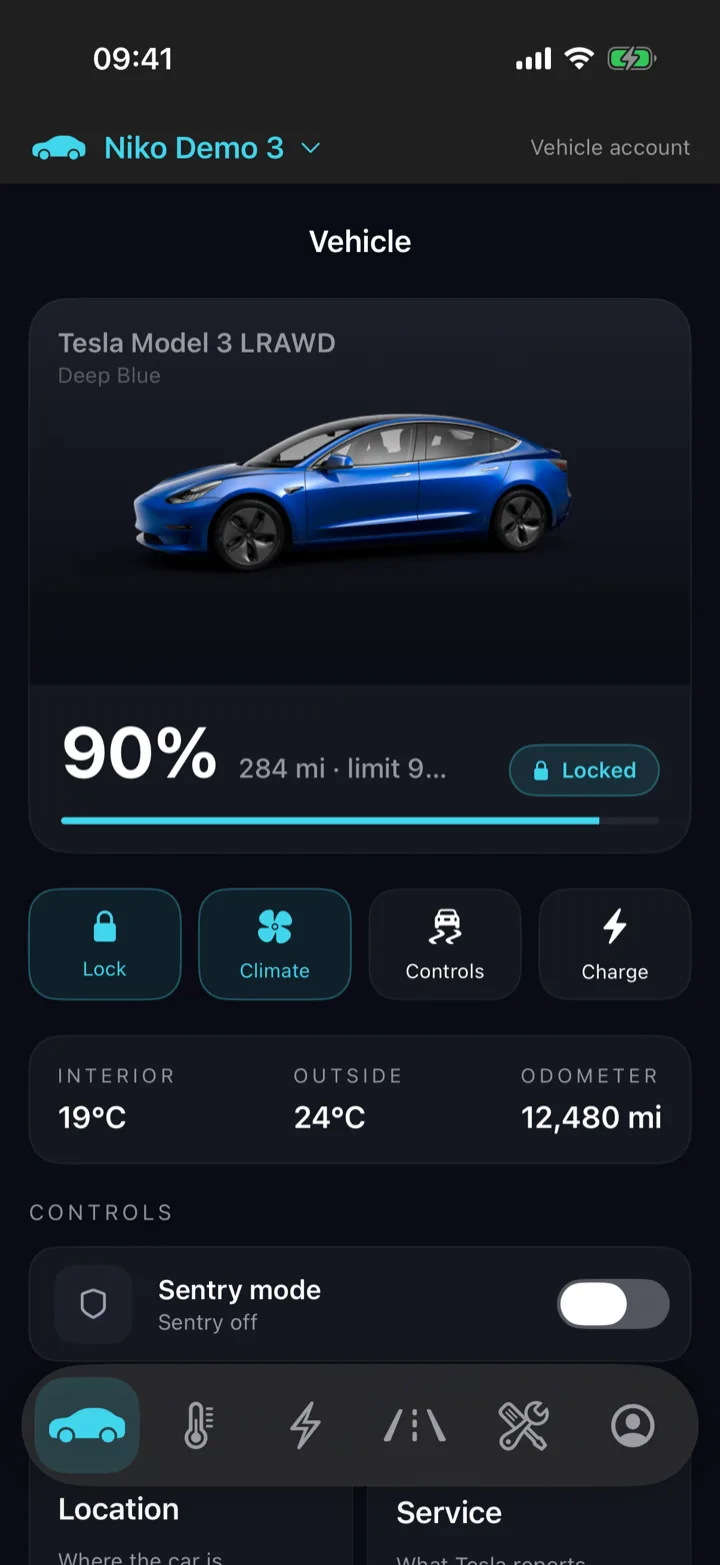
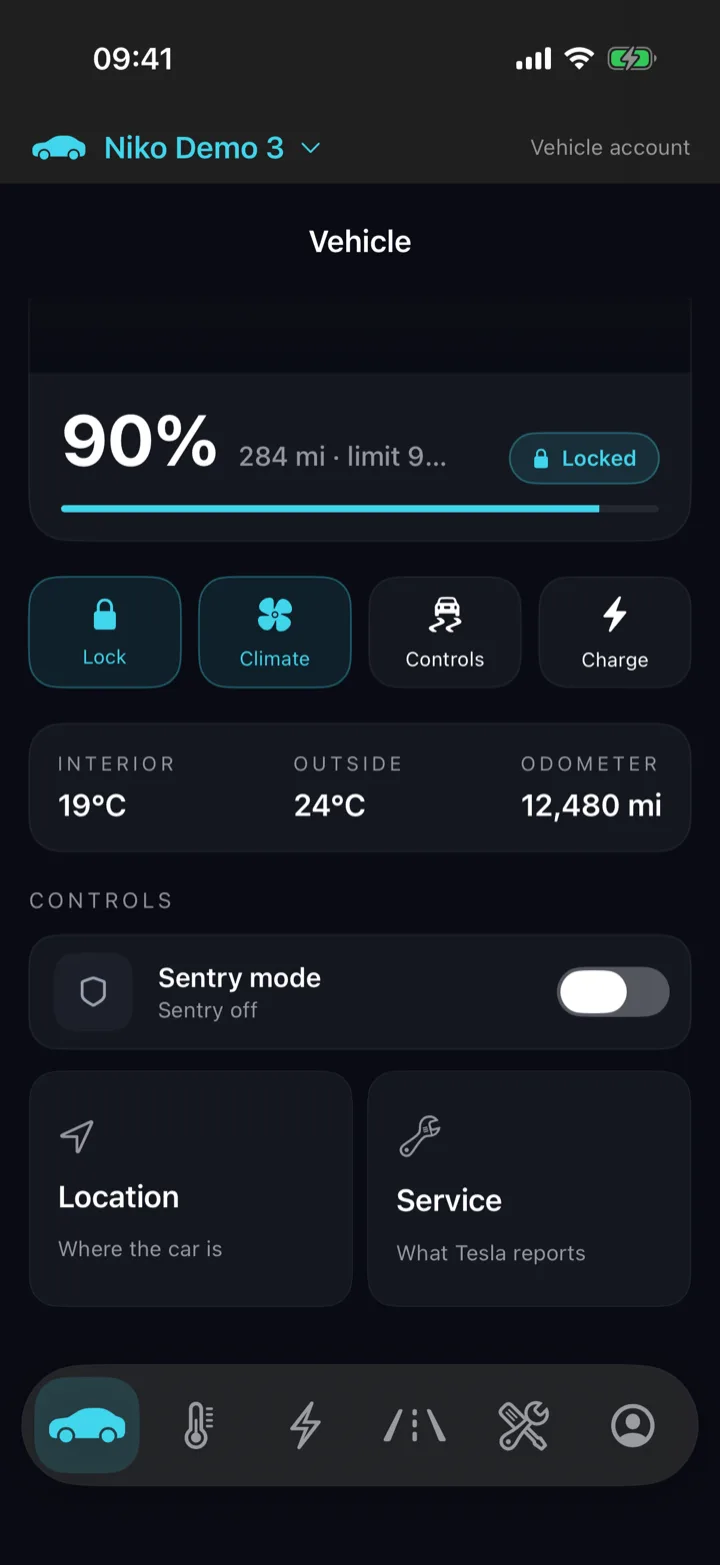
The home screen puts first what you reach for most. Lock or unlock. Climate on or off. The Controls sheet. Your automations. Under them: interior temperature, outside temperature, odometer. Then Sentry mode and where the car is.
- Lock and Climate dim themselves while the car sleeps, because a sleeping Tesla answers a command with a timeout.
- The Sentry mode switch shows the car's real state, and says so when the car has not reported it.
- A fresh reading every thirty seconds while the screen is open, and none at all once it isn't.
Next to the car
Next to the car, Niko needs no signal.
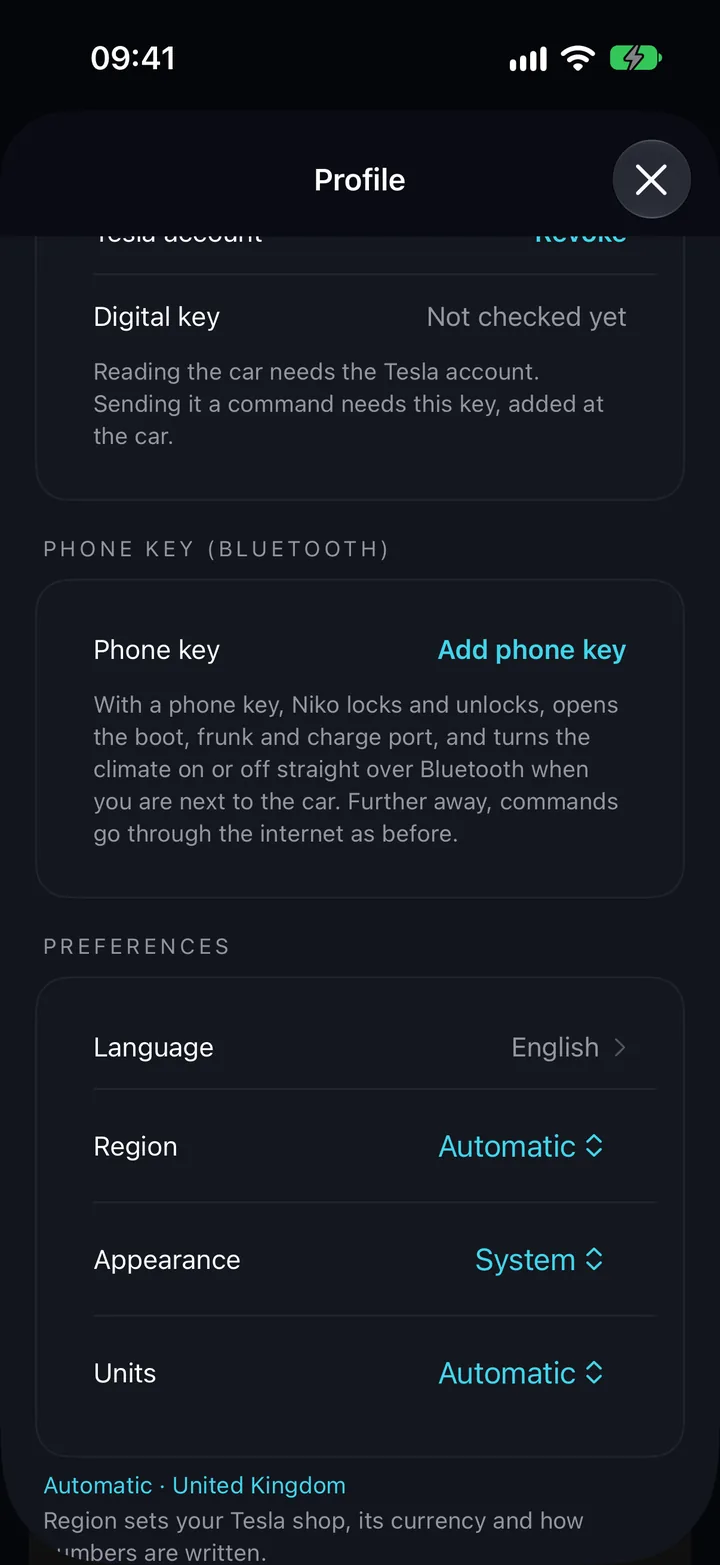
Add your iPhone as a key once, in Profile, and standing beside the car Niko stops going through a server at all. Lock, unlock, the boot, the frunk, the charge port and the climate on or off go straight to the car over Bluetooth, signed by a key your phone holds, and Niko can wake a sleeping car the same way. Away from the car, everything goes through the internet as before.
- No signal needed. An underground car park, a basement garage, a lane with one bar — the car is an arm's length away, and that is the only distance that matters.
- It reads the car over Bluetooth too: whether it is locked and which doors are open, and, while the car is awake, its battery, charging and climate. Quickly, with no round trip through a server.
- Free for everyone. Commands and wakes sent over Bluetooth never count towards Free's five wakes a day.
- The key is Tesla's own kind: added at the car with your key card on the console, kept in your phone's Secure Enclave, and spoken to with the protocol Tesla publishes.
- If Bluetooth cannot reach the car, the command goes the usual way once, on its own. Only the boot is left alone — one command both opens and closes it, so Niko asks you to look rather than guess.
- It works while Niko is open in front of you. Widgets, Control Centre, the watch and Siri with the app closed go through the internet, and nothing sits listening for your car in the background.
The phone key is in the iPhone app. Removing the key in Niko stops Niko using it with that car. The car itself keeps it until you delete it in the car's own Locks menu.

Charge
Watch the charge, and say where it stops.
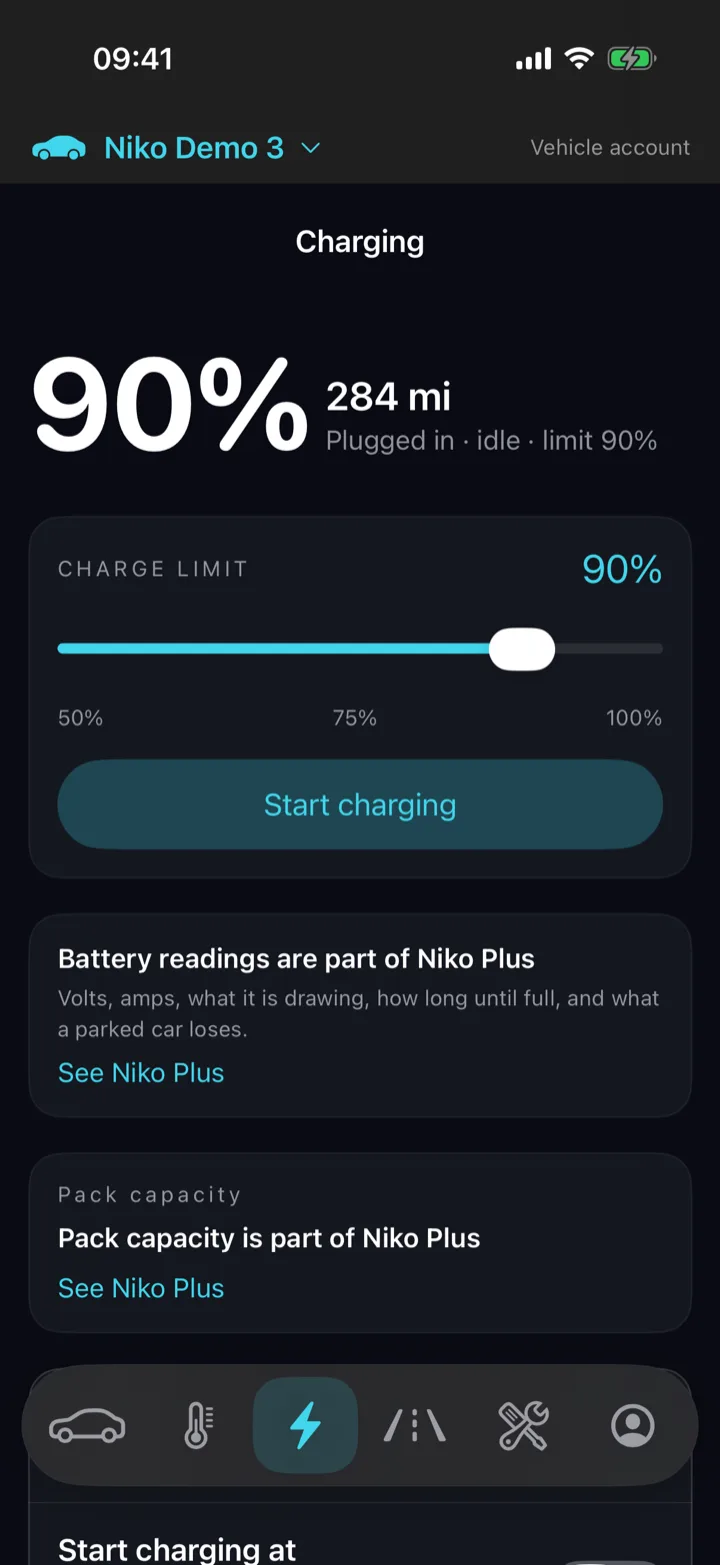
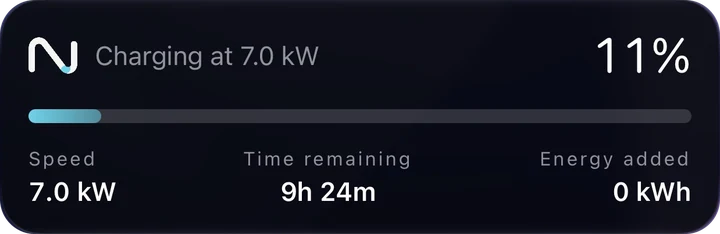
Battery percentage, range and whether current is actually flowing, with the time left to the limit. Drag the limit and the car holds the new one; start or stop the charge from the same screen. Underneath, free to everyone: usable capacity, ideal range, power and charge rate.
Niko counts the kilowatt-hours your car takes; only your supplier knows what one costs. Connect Octopus — in the United Kingdom, Germany or France — or Tibber, use the day-ahead market price with your own fees on top, or type the rates straight off your bill. Every home charge then carries a price, and the Charging screen draws tonight's prices so the cheap window reads at a glance.
- A Live Activity on the Lock Screen and in the Dynamic Island: state of charge, charging speed, time remaining and energy added, kept up to date while the app is closed.
- An alert when charging stops, whether it finished or was interrupted.
- Chargers near the car, with the free bays Tesla reports at its own Superchargers. Tap one for its address and distance, and send it to the car's navigation.
- Every charge with a price: home charges at the rate your tariff charged, Supercharger visits with Tesla's own receipt.
- This month in energy, money and the average price per kWh.
- When Octopus is running your charger, Niko follows Octopus's own plan for the night rather than the clock, and prices every slot at the night rate.
- When the price falls below zero, the window says what you would be paid rather than what it would cost.
The Live Activity and the charging alerts are part of Niko Plus.
Plus keeps every charge, and what each one cost on your tariff, for three months; Pro keeps them for good. Prices are shown in your tariff's own currency.
AutomationsNiko Plus
Tell the car what to do when something happens.
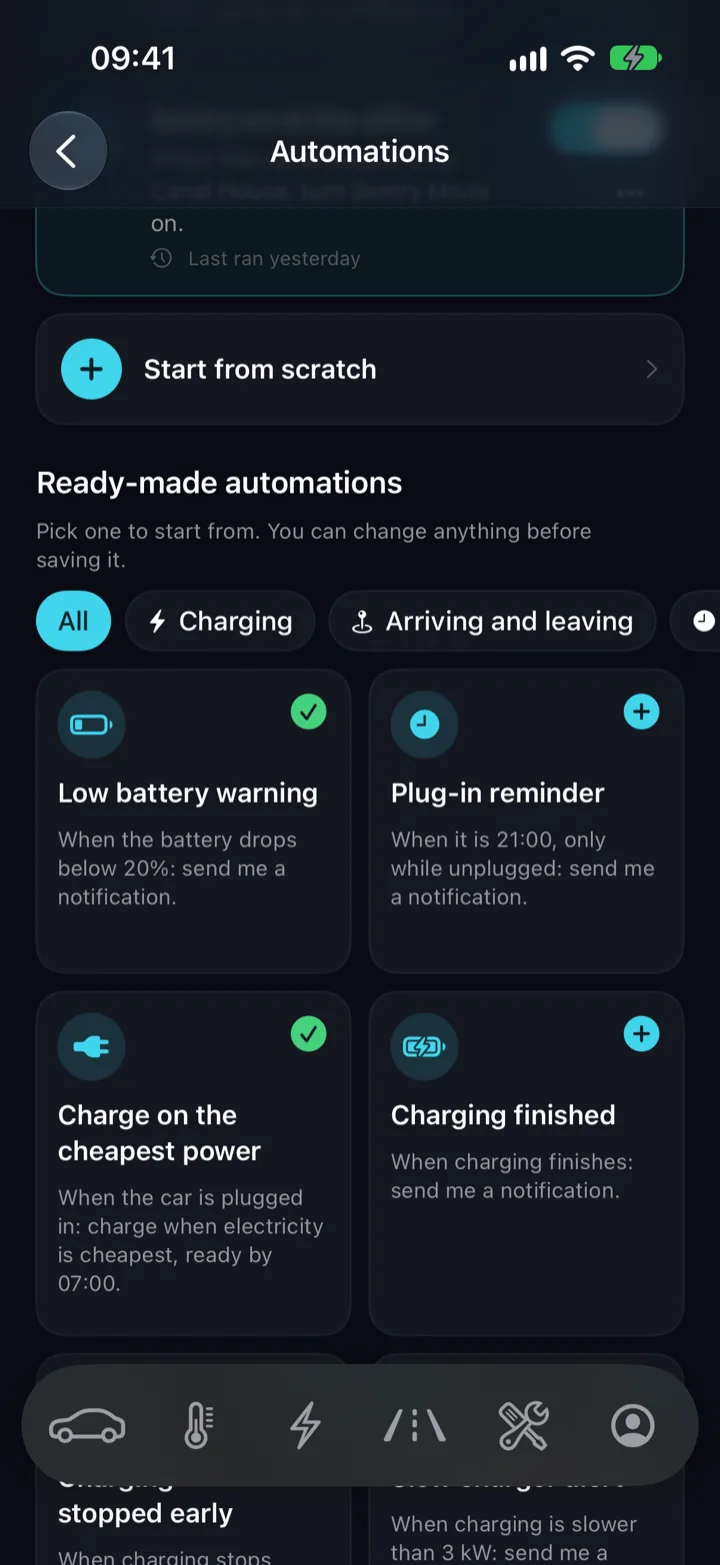
Pick a moment — the car arrives at the office, the battery drops below 20%, a door is left open, it is 7:15 on a weekday — and what should follow: turn Sentry on, warm the cabin and the driver's seat, lock it, send you a notification. Niko checks the car every fifteen minutes whether the app is open or not.
- 25 things to watch for and 34 things to do, from the charge port to the steering wheel heater, in up to 20 rules.
- Charge when electricity is cheapest: when the rule fires, Niko reads the night's prices from your Octopus tariff and sets the car's charging schedule to the cheapest stretch that still fills it in time.
- Every rule shows when it last ran and whether it worked, with a history behind it.
Charging in the cheapest part of the night needs Niko Pro.
Driving
Your week on the road, and the next trip planned.
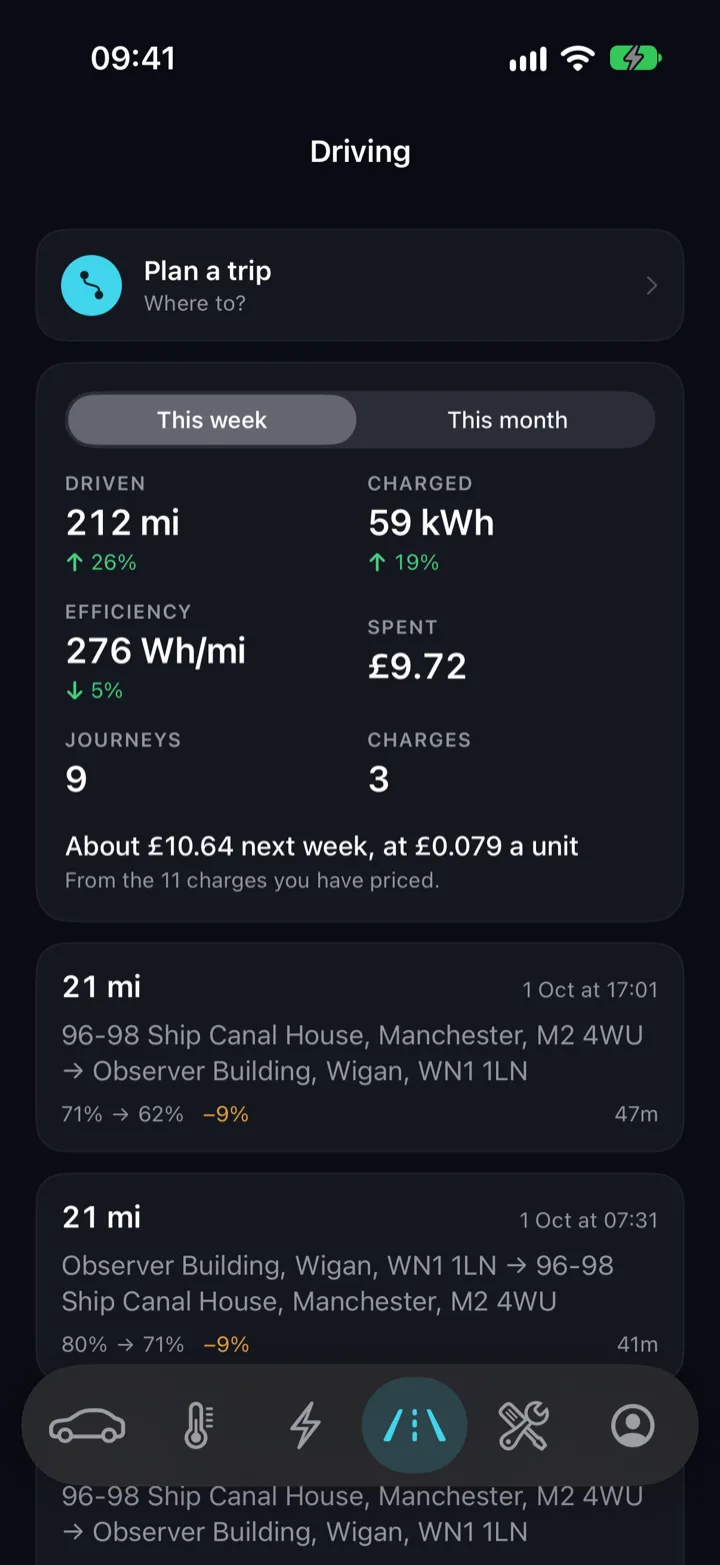
The Driving tab opens on the week: miles driven, energy charged, efficiency and money spent, each against the week before, and what next week will probably cost at your rate. Below it is every journey, from one address to another, with the battery it used and a map of the roads it took. Niko records them from the car whether or not the app is open.
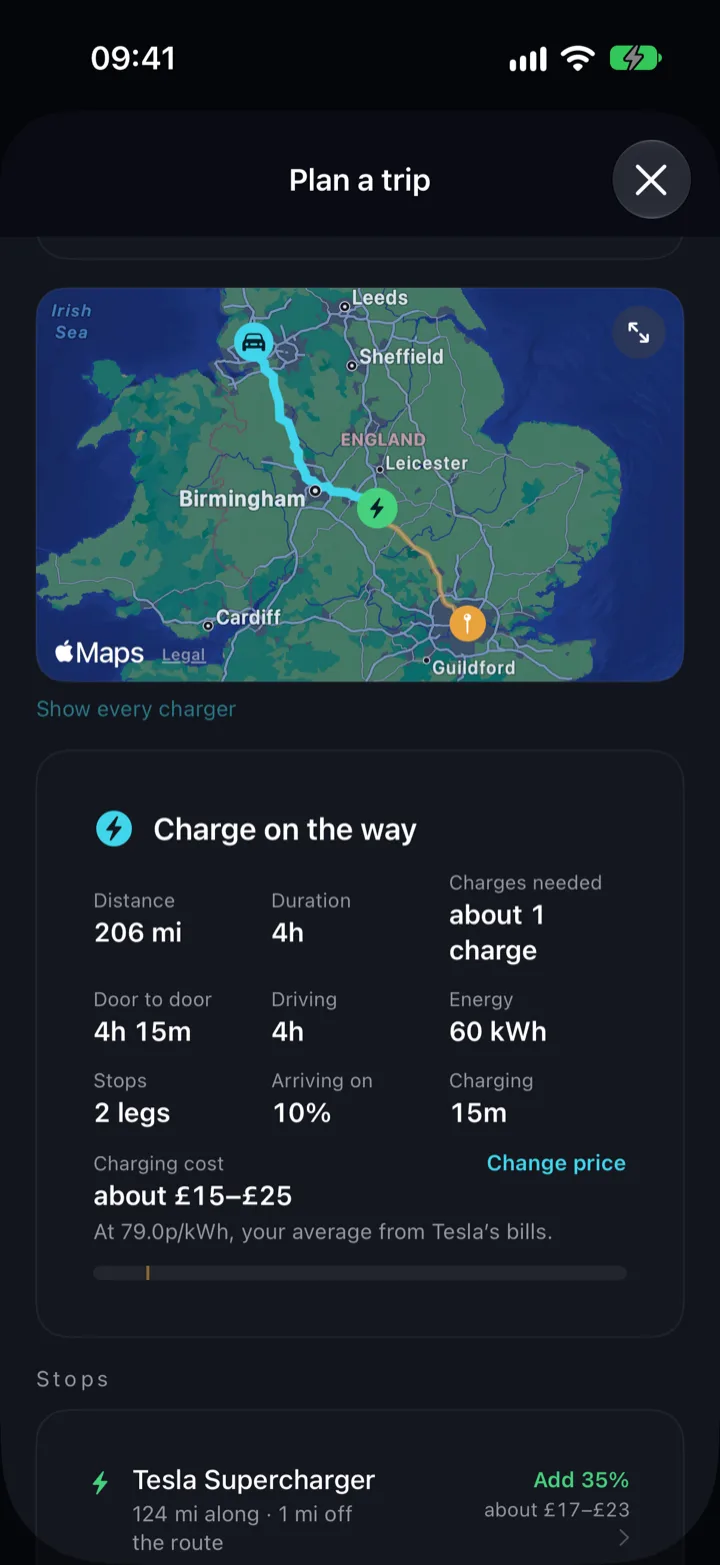
- Plan a trip from wherever the car is parked. Niko works out whether it gets there on this charge and, if not, which Supercharger to stop at and for how long.
- The plan uses how your own car has been driving, not a rated figure, and goes to the car's navigation with one tap.
- Directions open in Apple Maps, Google Maps or Waze.
- It estimates the charging too: a charger's listed price where it publishes one, and typical prices at the hour you would reach each stop. An estimate, not a quote.
The trip planner is free. Plus keeps every journey for three months, and Pro keeps them for good.
Sharing
A second driver, without handing over your account.
Invite someone by email and they get the car in their own Niko, signed in as themselves. They can lock it, warm it, watch the charge and find it. What stays yours is everything about you: your orders, your addresses, your tariff, your subscription and the other cars on your Tesla account.
- The invitation is to one car, not to your account, and you can take it back at any time.
- A driver sees the car's own screens. Your payment methods, your places and your history are not among them.
- Either side can end it: you remove the driver, or they leave the car from their own garage.
S3XY Commander
A hundred readings Tesla's API will not send you.
Tesla's own data stops at the pack: a state of charge, a range, two cell temperatures. Fit an S3XY Commander and Niko reads the car's own CAN buses directly, laying what it finds across five tabs — Overview, Battery, Drive, Thermal and Charging.
- Every cell individually, not the highest and lowest, with the imbalance between them — and your 12 V battery, the part that actually strands people.
- Motors, inverters and stators, both coolant loops, the heatsinks and the cabin: temperatures Tesla's API has never sent.
- Lifetime totals the car has been keeping all along — energy driven, regenerated, charged at home and at a rapid charger, and the efficiency across all of it.
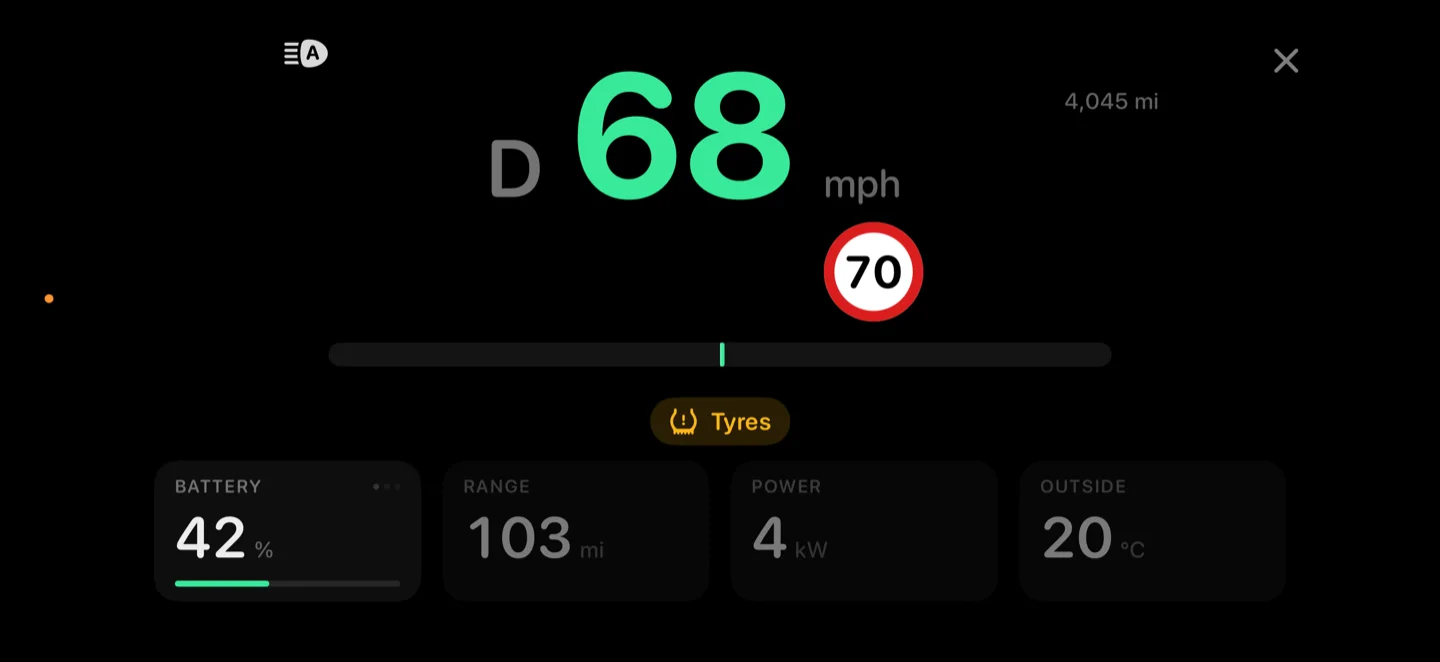
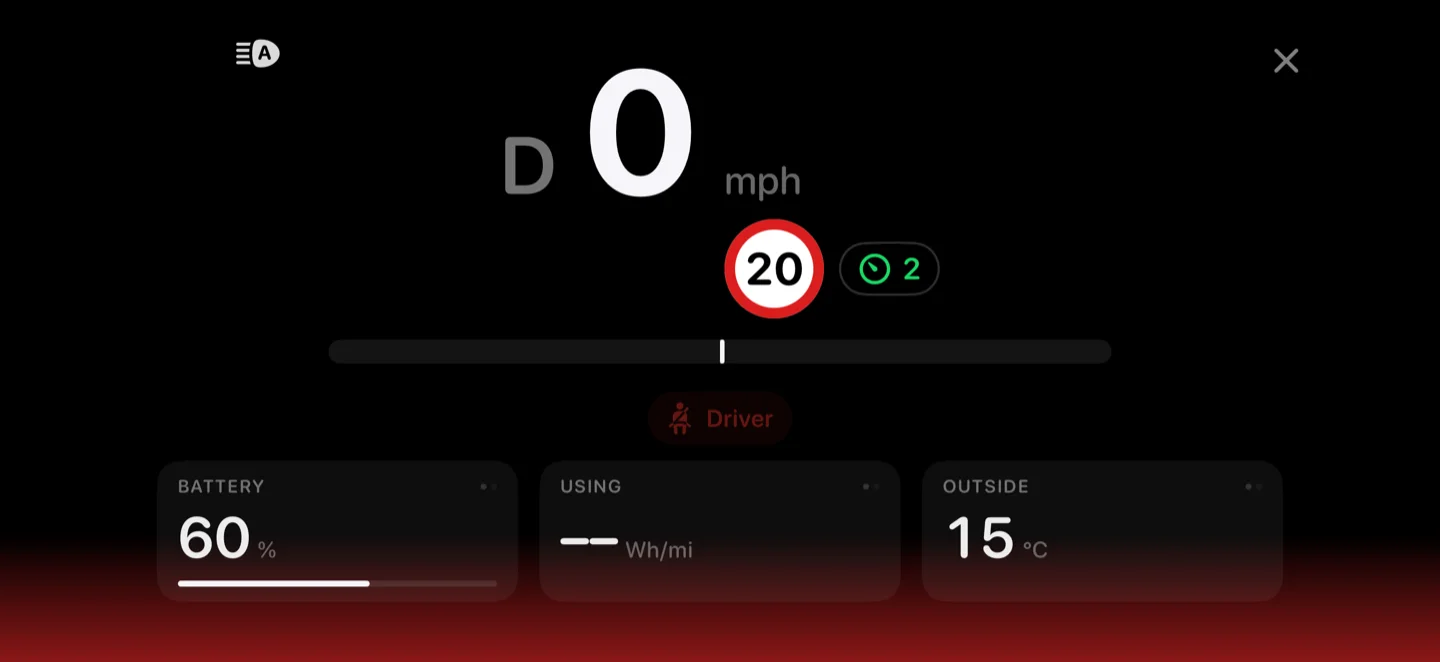
- A driving display: the car's own dashboard on your phone, sideways in a cradle — speed, the road's limit, indicators, braking, blind spots, power and regen, the seatbelt and warning lights, cruise, the odometer, what Autopilot is doing and the battery, laid out the way you want.
Only what is missing
Anything Tesla already streams — charge, range, pack capacity, module temperatures — Niko still takes from Tesla. A scanner should earn its place, not repeat work that needs no hardware.
It only listens
Niko cannot put a frame on your car's bus. Not by policy: there is no code path that writes, and a test exists whose only job is to fail if one is ever added.
Needs an S3XY Commander, which is made by Enhauto and bought from them. Niko does not sell it and earns nothing from it. While a scan runs your phone is on the scanner's own Wi-Fi, so the rest of Niko waits until you stop.
The rest of it
Everything else the app does.
Niko is not four screens and a subscription. These are the parts that do not need a section of their own — each one is on the phone, in the language you chose.
Climate, properly
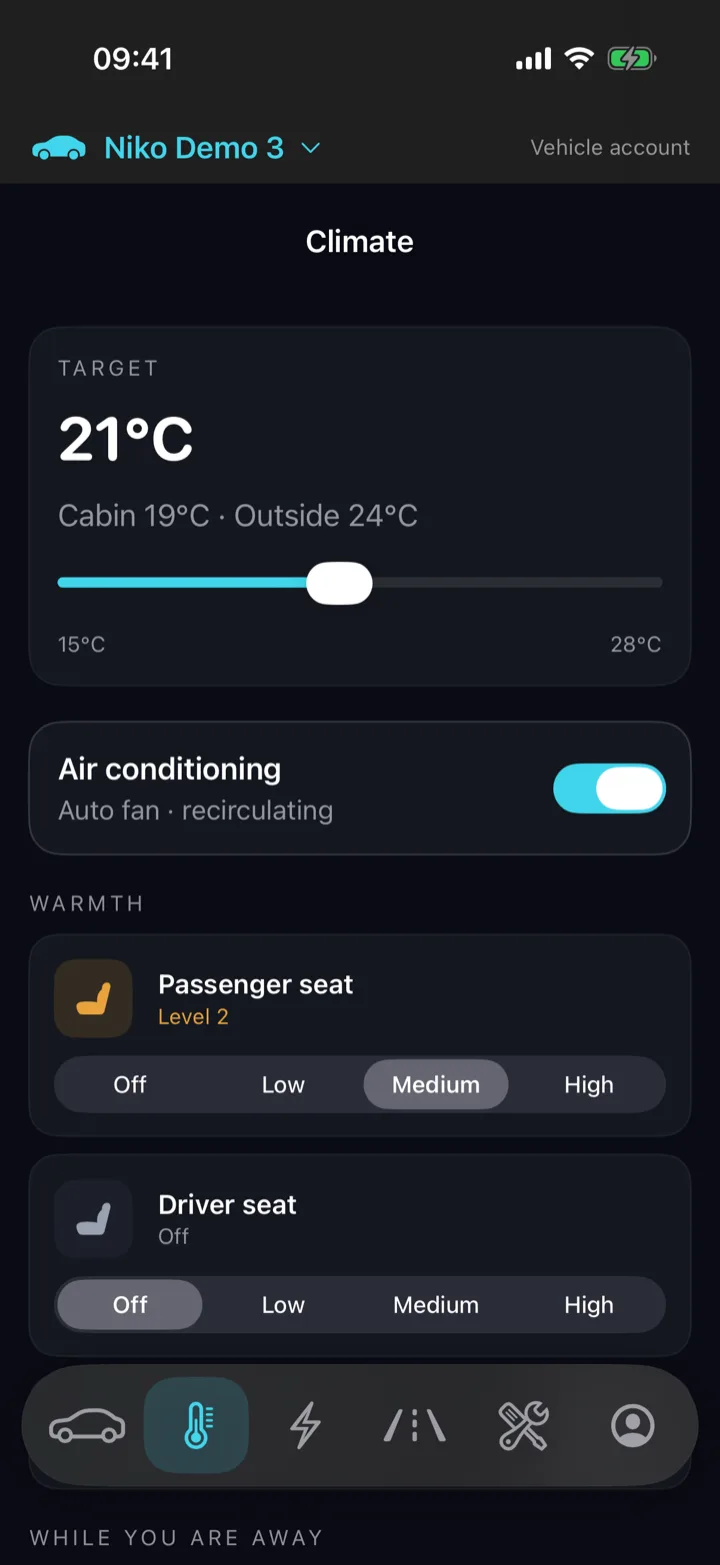
A target between 15 and 28, air conditioning, heat for both front seats and the steering wheel, defrost for the glass, and Dog and Camp mode for what you leave behind.
Locks and openings
Locks, frunk, boot, charge port, charge cable and valet mode on one sheet, with Sentry mode, PIN to Drive, Guest Mode and a speed limit beside them, each showing whether it is on.
Where it is
The car's own GPS fix on a map with the street worked out on the phone, and directions in Apple Maps, Google Maps or Waze.
Tyres, warranty, updates
Pressures judged against the placard and against each other so cold reads as cold, warranty dates from Tesla, and a waiting software update with its notes in your language and a button to start it.
Your history, imported
Drives and charges from Tessie, TeslaFi or TeslaMate, merged with what Niko has rather than duplicated.
Without opening Niko
Siri shortcuts, buttons in Control Centre, widgets on the Home Screen and the Lock Screen, and an Apple Watch app with the charge on your watch face, all free. With Plus, charging and climate also follow you on the Lock Screen and in the Dynamic Island.
Light or dark
A light theme built with the same care as the dark one. Follow the phone, or pick one and it stays.
Fifteen languages
Every screen, not just the menus, with units chosen separately — a driver in Manchester and one in Denver both read English and expect different numbers.
Places and cars
Addresses finished by Apple's own map data as you type, and your car decoded from its VIN: model, year, trim, drive, battery, seats and build plant.
Pricing
The controls are free. The record is Plus.
Every control your car has is free, and stays free. What costs money is Niko watching the car between the times you open it: the Live Activity, the alerts, a long history and automations are all made of readings Tesla charges us for, and a subscription is what covers them.
Free
£0 No card, no trial, no end date
Your car's controls are always free.
- Lock and unlock, the frunk, the boot, the charge port and the windows
- Warm or cool the cabin before you get in, with the seat heaters, the steering wheel and defrost
- Start and stop charging, and set the limit and the amps
- Sentry mode, valet mode and a speed limit
- Where it is parked, tyre pressures, warranty, recalls and the software version
- The trip planner
- Live battery readings: volts, amps, charge rate and standing losses
- Wake a sleeping car over the internet five times a day
- The S3XY Commander scanner: your 12 V battery, every cell and the cooling loop, none of it from Tesla's API
- The driving display: speed, the speed limit, indicators and blind spots on your phone
- Your iPhone as a Bluetooth key next to the car, whose commands and wakes never count towards the five
- Siri, Control Centre, Home and Lock Screen widgets, and the Apple Watch app
Plus
£4.99 / month or £44.99 a year
Niko keeps a record between the times you open it.
- Wake your car whenever you need to
- Charging and climate on the Lock Screen and in the Dynamic Island
- Every journey and every charge for three months, with what each charge cost on your tariff
- Alerts while the app is shut: charging started or finished, low battery at your level, cabin ready, left unlocked, low tyre pressure, a slow puncture forming over days, service due and software updates
- Automations the car follows while the app is shut
- Up to 2 cars
Pro
£6.99 / month or £64.99 a year
Everything in Plus, and what the pack itself is doing.
- Everything in Plus
- Every journey and charge, kept for good
- Battery health: pack capacity, how it has changed, and charge cycles
- Charge in the cheapest part of the night on your tariff
- Up to 5 cars
Plus comes with a free trial where the App Store offers one, and the App Store shows it before you subscribe. Cancel in your Apple account before it ends and you are not charged.
Prices are for the United Kingdom. A subscription is bought and cancelled in your Apple or Google account, and each store sets its own price in your currency — the app shows yours before you buy.
Security
Niko never asks for your Tesla password.
You sign in to Niko with your own email address, and you authorise the car on Tesla's own page. Here is every step, including the one most apps leave out.
What Niko holds
Your name, your email, your phone number if you give one, the places you save, your subscription, and the VINs of the cars on your Tesla account.
Locking Niko itself
Face ID, Touch ID or a four-digit code, asked again once the phone unlocks — so a phone left on a table is not a way into your car.
-
Sign in by email
A passkey, a link, a six-digit code, or a password of at least ten characters — or Continue with Apple or Google. A passkey is your face or fingerprint with nothing to type, and you can attach a second way to sign in later without losing the account.
-
Authorise Tesla
On Tesla's own page, in your own account. Niko is handed a token, never a password.
-
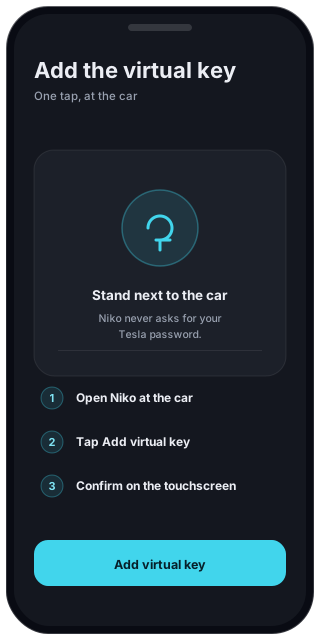
Add the virtual key at the car
Recent Teslas refuse any command that isn't signed by a key you add at the car. One tap, once, standing next to it. Niko only asks after Tesla has actually refused.
-
Ending access
In your Tesla account, under Third-Party Apps. Niko's own screen cannot do it for you yet, and we would rather tell you than pretend.
On the web
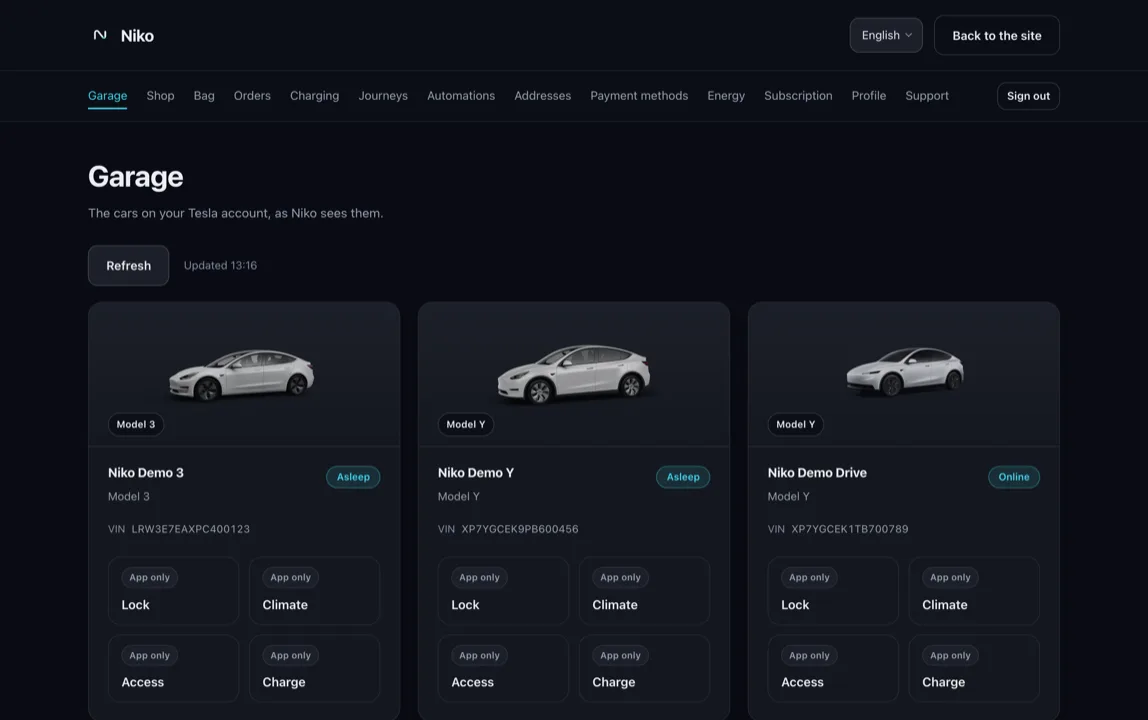
See your car on the web. Control stays in the app.
Sign in here and you'll see the cars on your Tesla account, their charge, their last known position and the journeys Niko has recorded. The website has no way to send a command to a car, and it will not wake one just to fill a page.
- Everything the app shows, read-only.
- Signing in here lasts until you close the tab.
Three steps, and one of them is at the car.
Sign in by email, authorise Tesla, then add the virtual key at the car. After that Niko is already showing your charge state — or telling you the car is asleep.